Start with three questions. Where will the video be saved? Who needs to see it? What has to work when the internet goes down? A camera can record to a local card while using the manufacturer’s cloud for alerts. Compare the functions you need one by one.
Where local recordings are stored
A microSD card stores recordings inside the camera. If someone removes the camera, the card can go with it. A recorder or server elsewhere in the home keeps a separate copy and adds another device to maintain. Check the camera’s supported card capacity, recording modes and export options. With loop recording enabled, the oldest footage may be overwritten.
TP-Link documents microSD recording and the functions that can continue after setup with the internet disconnected on compatible Tapo models. Check recording, live viewing on the home network, remote viewing and notifications individually. A camera can keep recording even when remote alerts are unavailable. TP-Link’s Tapo camera FAQ in Spanish.
What cloud history depends on
A cloud service keeps recordings on the provider’s infrastructure under the terms of its product. For Nest cameras, Google’s documentation explains how video history depends on the subscription. Check the exact model, generation, country and plan for event clips, continuous history, download options and what happens when you cancel. Google Home’s video history guide.
Cloud recording also depends on power, the home internet connection, the provider and access to your account. A clip that already reached the cloud may survive the loss of the camera. Confirm how you would recover account access and export the clips you need.
Compare total cost for the same history
Choose the same period, number of cameras and recording mode for both options. For local storage, add the cameras, cards or disks, replacements, electricity and maintenance time. For cloud storage, check the renewal cost, how many cameras the plan covers and which features are included. If one option keeps a week of motion clips and the other stores a week of continuous video, note the difference before comparing cost.
A home server also needs a retention policy. Frigate is one example of a recorder that can apply retention settings per camera. Export the clips you want to keep separately from footage scheduled for deletion. Check camera compatibility with the recorder you plan to use. Frigate recording and retention.
| What to compare | Local storage | Cloud storage |
|---|---|---|
| Maintenance | Cards, disks, recorder and software you maintain | The provider’s service, terms and renewal |
| Viewing remotely | A documented way to connect to the camera or recorder | Account access, connectivity and plan features |
| Loss of a camera | Whether any footage is stored on another device | Which footage already reached the cloud |
| History and export | Capacity, overwrite rules and the clip export process | History limit, recording mode and download options |
Check permissions and access
List who can see each camera and how you would revoke their access. Use individual user accounts where available, enable additional authentication if offered and check how the device receives updates. Frigate, for example, distinguishes an authenticated web interface from an internal service without authentication. Keep internal services off the public internet. Frigate authentication and access control.
Once the camera is set up, try a short recording test with the internet disconnected while keeping the home network powered. Check whether it records, whether you can play the clip locally and whether remote alerts return after the connection is restored. Record the result for each function so you know what to expect in an outage.
If your only requirement is to know whether a door has opened, a contact sensor can meet that need without storing video. When you do need a camera, decide who will view footage, where it will be kept and how you will retrieve it after an outage.
Camera in this guide
Valinkey may earn a commission if you shop on Amazon through these links.
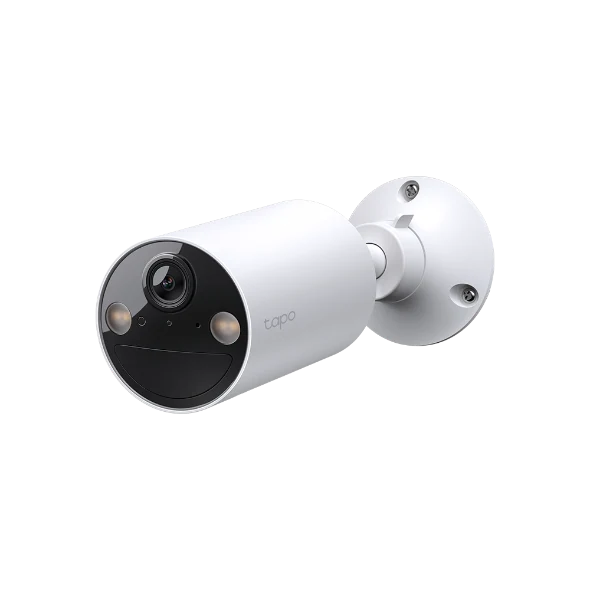
Tapo C410
Battery-powered outdoor camera. Check its recording modes, where it stores clips and what the cloud plan adds.
Sources
- TP-Link Spain — Tapo camera FAQ
- Google Home — video history in the app
- Frigate — recording and retention
- Frigate — authentication and access control
Guided example · Local recording
Four cameras, 14 days of recording
Estimate the space needed to store your footage and use that figure to size your NAS and a separate backup.
Continuous recording · 4 Mbps per camera · 20% headroom
Estimate my storage Requires a free account.Estimated capacity
2.90 TB
2.42 TB of footage plus 20% headroom.
16 Mbps total incoming bandwidth