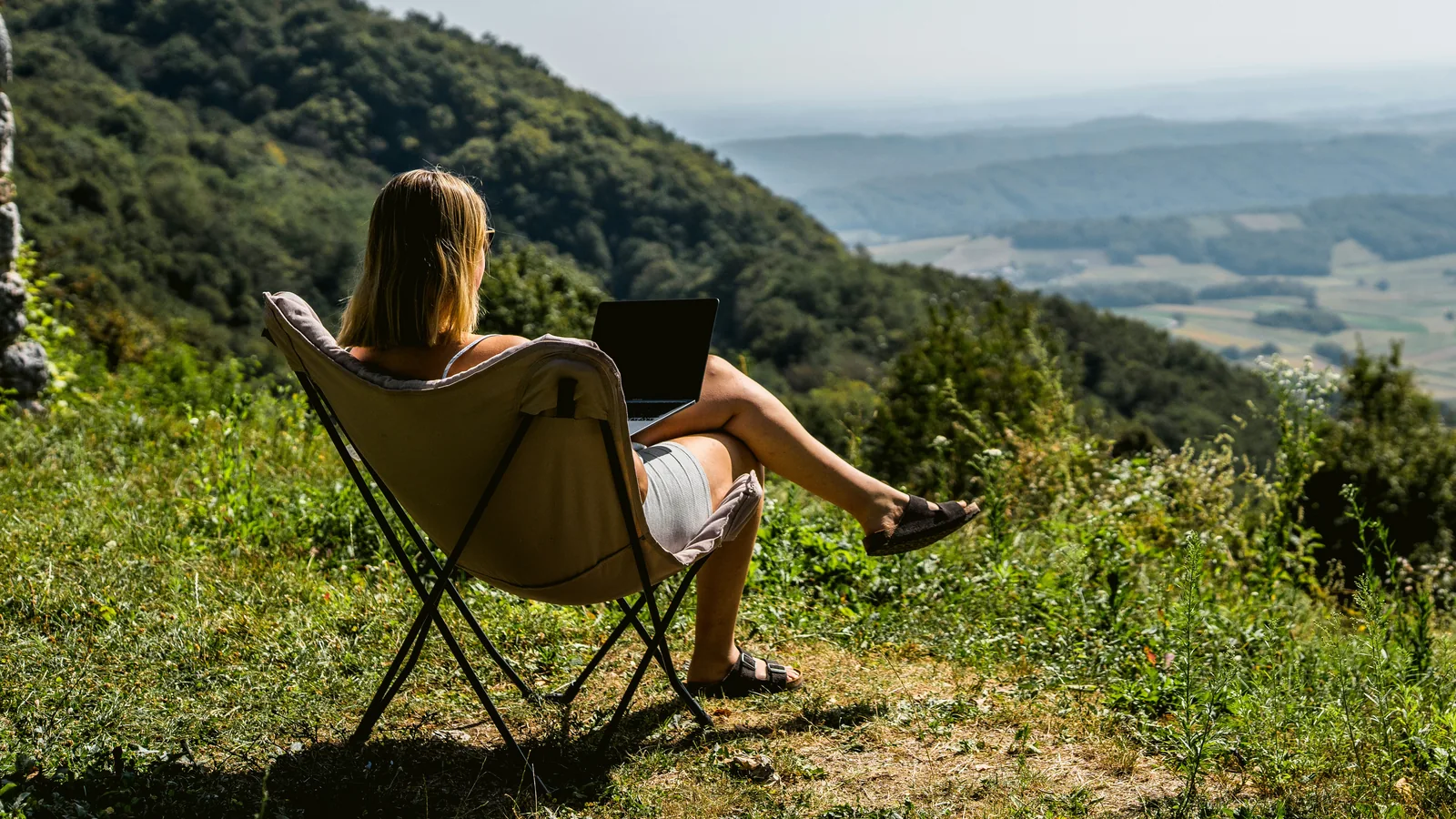
The first step in planning a workday in the mountains is choosing the work to take with you. Two hours of writing may only need a charged laptop, a phone and a local copy of your files. For a day of video calls followed by a night away, count the watt-hours, test the connection exactly where you will sit and pick a base you can return to. Try a morning with the equipment you already own. You may need a power bank, a portable power station or simply a better place to sit.
You have to share your screen at eleven and would like to walk to the viewpoint that afternoon. Choose a desk for the view alone and your meeting depends on reception in the valley. Take the call from the village and you can head up afterwards with the report downloaded and your phone on silent.
Why take work outdoors?
In the woods or overlooking a valley, the sights and sounds of the working day change. That helps explain the appeal of remote work close to nature. A survey analysis covering 19,806 adults in England found that people who had spent at least two hours visiting natural settings for recreation in the previous week tended to report better health and well-being than those who had made no such visits. This was an observational study of leisure time. Study by White and colleagues.
A two-year project in a Swedish municipality looked specifically at taking office tasks outside. Participants tried meetings, reading and other activities. Screen glare, noise and the availability of seating and shelter affected their experience. Start with one task you enjoy doing outside and set a time to stop. Study by Petersson Troije and colleagues.
Three ways to work near nature
| Plan | What to take or arrange | When to change the plan |
|---|---|---|
| A morning on foot | Charged laptop, phone, downloaded map, water and a warm layer. Add a USB-C power bank if needed. | You have a meeting you must attend, there is little shade or the weather deteriorates. |
| Two days at a rural base or authorised campsite | A sheltered table, a tested socket and a reliable connection. Book a pitch with electricity if you intend to use it. | Uploads are unreliable or the socket is too far from your workspace. |
| Several days in a van or away from mains power | A power station, a charging plan, a backup workplace and somewhere you are allowed to stay overnight. | Without sunshine you would use up your reserve, or you cannot move the working day to a connected base. |
A week near the mountains often looks more like the second option than a seven-day hike. A dry place for meetings, drinking water and a clear finish time leave the afternoons free. In Spain, camping, bivouacking and overnight stays are subject to local rules. In the Community of Madrid, wild camping is prohibited and bivouacking rules vary by area. Check the rules for the particular site before staying overnight or putting up an awning. If you regularly work remotely as an employee, check the workplace agreed with your employer. Community of Madrid · Law 10/2021, Articles 7 and 8.
Test the connection where you will actually sit
- Choose a desk and a fallback location. Check the mobile coverage map and your provider. Two brands can share the same network. If a second SIM is your backup, check that it uses a different network. For a critical meeting, also identify accommodation or a coworking space with a tested connection. Spanish government coverage maps.
- Rehearse the task. At your chosen desk and at the expected time, connect the laptop as you would on the day. Upload a test file and make a ten-minute call with video and screen sharing. Try your company VPN if you use it. As a reference, Zoom gives 2.6 Mb/s upstream and 1.8 Mb/s downstream for 720p group video. Dropouts during the rehearsal tell you more than a single high speed reading. If tethering fails, isolate the link that drops. Valinkey guide to diagnosing Wi-Fi dropouts · Zoom requirements.
- Repeat the test in airplane mode. Download your documents, maps and attachments. Disconnect, open and edit a copy, then reopen it to check the changes were saved. If you use local AI to review a PDF, install and test the model beforehand and measure how much more energy it uses. Valinkey guide to reading a PDF with local AI.
In La Omañuela, León, the Aguas Frías rural accommodation warns that the valley has poor mobile reception and its own satellite connection is too limited for remote work. It suggests a coworking space 12 km away. Before booking, ask which room you could make calls from, whether you can try a call and where the nearest alternative is. Aguas Frías coverage notice.
How much battery capacity does a working day need?
Watts (W) measure the power a device draws at a given instant. Watt-hours (Wh) measure the energy it uses over time. A 65 W laptop charger is rated to supply that power. Measure your actual tasks with a plug-in meter or a compatible USB-C meter. When measuring at the battery output, add the Wh delivered to the devices and account for battery losses separately. If the station reports energy drawn internally, those losses are already included.
A six-hour day with two hours of video calls
| Device and activity | Assumption | Energy |
|---|---|---|
| Laptop for writing and web browsing | 25 W × 4 h | 100 Wh |
| Laptop on video calls | 45 W × 2 h | 90 Wh |
| Phone | Energy for a partial recharge | 15 Wh |
| Separate mobile router | 5 W × 6 h | 30 Wh |
| Light at the end of the day | 3 W × 2 h | 6 Wh |
| Total at the outputs | 241 Wh |
Suppose 85% of the energy drawn reaches the devices and you keep 20% of the rated capacity in reserve. The calculation is 241 ÷ (0.85 × 0.80) = 354.4 Wh, or at least 355 Wh of nominal capacity when you start fully charged. If you use your phone as a hotspot, measure its consumption while tethering and remove the separate router row. Repeat the test with the screen set to outdoor brightness and the outputs you will actually use. Efficiency and standby consumption can change, particularly when the AC inverter stays on.
USB-C power bank or portable power station?
A USB-C power bank can charge a phone or extend a session with a laptop that supports USB Power Delivery (PD). Check the power of the particular port, the charging profile the laptop accepts and the cable. Milliamp-hours depend on internal voltage, so compare batteries in Wh. A battery rated at 20,000 mAh at 3.6 V stores 72 Wh nominally. A power station can supply more devices and usually adds 230 V sockets and a solar input. If you are walking, remember that you will carry every kilogram. USB Power Delivery specification.
Valinkey may earn a commission if you shop on Amazon through these links.
| Example model | Rated capacity and weight | Wh available to devices under these assumptions | Output and charging |
|---|---|---|---|
| UGREEN Nexode 25188 on Amazon | 72 Wh · 0.42 kg | 49 Wh | Up to 100 W from one USB-C port. Recharges via USB-C. |
| EcoFlow RIVER 2 on Amazon | 256 Wh · 3.5 kg | 174 Wh | 300 W AC output. Recharges from the mains or a solar panel of up to 110 W. |
| EcoFlow RIVER 2 Max on Amazon | 512 Wh · about 6 kg | 348 Wh | 500 W AC output. Mains charging or solar input of up to 220 W. |
| EcoFlow DELTA 3 Classic on Amazon | 1,024 Wh · 12.1 kg | 696 Wh | 1,800 W AC output. Mains charging or solar input of up to 500 W. |
Capacity, power and weight come from manufacturer specifications checked on 14 November 2026. The usable Wh figure applies the same assumptions to every model. The 512 Wh station covers the 241 Wh day with about 107 Wh to spare. Two identical days without recharging would need about 709 Wh of nominal capacity. Nexode 25188 · RIVER 2 · RIVER 2 Max · DELTA 3 Classic.
If your base has mains power and the router needs to stay online through outages, a stationary backup supply is another option. Valinkey guide to choosing a UPS.
How much energy can a portable solar panel recover?
Charge the station from a socket before leaving if one is available. To estimate how much energy the sun can replace, multiply panel power × peak sun hours × collection and charging efficiency. One peak sun hour represents the irradiation delivered by one hour at 1,000 W/m² on the plane of the panel. Poor orientation, shade and charging limits reduce what reaches the battery. Account for the time the panel will actually be deployed.
A worked example in Cercedilla in the Sierra de Guadarrama. PVGIS gives an average of 3.51 peak sun hours per day in November at 40.741° N, 4.056° W for a south-facing panel tilted at 30°, using the terrain horizon and SARAH3 data for 2005–2023. With a 110 W panel and an illustrative efficiency of 65%, that is about 251 Wh stored. Delivering 241 Wh to the devices drew about 284 Wh from the battery. The average falls short by about 32 Wh even before accounting for shade from individual trees. Two peak sun hours would yield 143 Wh. The example day would need almost four. Use the monthly figure for planning and allow an extra day of capacity if you depend on it. Open PVGIS with these settings · EU Joint Research Centre documentation.
Valinkey may earn a commission if you shop on Amazon through these links.
Before connecting a panel, check the manual for connector type, polarity, current and open-circuit voltage (Voc), including in cold weather. The original EcoFlow 110 W portable panel weighs about 4 kg and is rated at 21.8 V open circuit under the specified conditions. Two in series would give 43.6 V under those conditions, exceeding the RIVER 2’s 30 V maximum. Put the panel in the sun and keep the station dry, ventilated and in the shade as directed in its manual. Read the accumulated Wh after the first hour and adjust before using your reserve. 110 W panel on Amazon · Original panel specifications.
What to take for a day outside or an overnight stay
- Navigation and check-in. Charge your phone, download a map and tell someone you trust your route and return time. For demanding terrain, take a paper map and compass and learn how to use them. Calling 112 over a terrestrial mobile network requires reception from at least one network, which can be another provider’s. For routes outside coverage, consider a satellite communicator, check the service plan and practise using it before leaving. IGN maps · Montaña Segura on calling 112.
- Light, warmth and shelter. A charged headlamp or one with spare batteries keeps your hands free. Pack a warm layer, waterproof jacket, first-aid kit and emergency blanket. For an overnight stay, choose an insulating mat and sleeping bag suited to the expected temperature. Take camping gear where its use is permitted. Check the mountain forecast and set a turnaround time that leaves daylight for the return. AEMET mountain weather forecast · Montaña Segura equipment guide.
- Water and food. Carry drinking water and identify a reliable refill point. If treating water, check what your filter removes and how to disinfect the water when necessary. Some hiking filters allow viruses through. Use a camp stove outdoors only where permitted and observe fire restrictions. Burning fuel in a tent or vehicle can allow carbon monoxide to build up. CDC on water treatment · CDC on carbon monoxide.
- Protect the workspace. Bring cables in a dry pouch, keep a local copy of your files and find a stable table with enough shade to read the screen. Use headphones for calls and keep paths and entrances clear. Pack up the equipment and take your waste away.
Frequently asked questions
Can I work for several hours with a 20,000 mAh power bank?
Yes, if the laptop already has some charge and you want to extend it. A 72 Wh model would deliver about 49 Wh under the example’s 85% efficiency and 20% reserve assumptions. That is about two extra hours at a steady 25 W. First check that the laptop charges from that power bank’s USB-C port.
Is satellite internet worthwhile for a short trip?
Start with the task that needs a connection and when you need to do it. For example, the Starlink Mini X lists an average antenna draw of 25–40 W. Three hours would add 75–120 Wh before additional losses or an external router. It also needs a clear view of the sky, suitable equipment and service. If you need to make one call, compare that option with the time it would take to reach a connected base. Starlink Mini X specifications.
What should I test before spending any money?
Try a morning close to home. Take a downloaded task, test a call if you need one, record the Wh you use and return at the agreed time. Note what made you move or close the laptop. If it was glare, solve the shade problem first. If it was power, size the battery using your own figures. Save a little of the day for a walk with the laptop packed away.